


选择澳洲评分最高的 nbn® 网络运营商
14,000+ 条评论
4.9 

<p></p>
可接入光纤网络,需支付新开发区费用
- 您的连接类型是 Fibre。
- 您的地址可接入 网络的高速宽带。
恭喜:您的地址符合 nbn® 首月免费特惠资格(适用于 6 个月及以上合约)。
查看下方套餐并在线注册。
所有套餐均包含
无锁定
合约
$0
开通费
无限
流量
365天
客服支持
所有套餐均包含
无锁定
合约
$0
开通费
无限
流量
365天
客服支持
24 Months
Get your bonus upgrade router with a
24-month contract:
Gaming Core (Wi-Fi 6):
- 1Select "Pro Gaming"
- 2Choose "Gaming Core (Wi-Fi 6)"
- 3Bonus router will be applied automatically in the system
Home Mesh Prime (Wi-Fi 6) - 2 Pack:
- 1Select "Full Home Wi-Fi"
- 2Scroll and find "Home Mesh Prime (Wi-Fi 6) – 2 Pack"
- 3Bonus router will be applied automatically in the system
No Lock-in
选择您的网络套餐
雷霆
(nbn2000)
-
2000 Mbps
100 Mbps
- Maximum potential speed
- 支持 8K 流媒体播放,12 人以上同时使用 4K/UHD 流媒体,以及轻松下载大型 3A 游戏 无限流量
前6个月$165/月,第7个月恢复$185/月
- 签订12个月合约可免费获得ASUS AX1800 Wi-Fi 路由器;24个月合约可得ASUS AX4200 Wi-Fi 路由器。优惠活动截止日期为2026年3月31日。
- 如果用户在合约期内取消服务,需按比例支付路由器费用。例如,用户获得免费的ASUS AX1800(价值$120),但只使用我们的服务10个月,那么客户仅需支付$10 × 2 = $20的路由器费用。
- 签订12个月或24个月合约的用户,如希望选购其他路由器,可享受最高 $120 的一次性优惠。此优惠不可兑换现金,亦不可用于抵扣其他服务费用(如家庭宽带)。若所选硬件的零售价格低于 $120,差额部分将自动作废。用户不得就剩余金额申请退款、补偿或转作他用。
- 标准邮费为$18,快速配送费用为$20。
闪电
(nbn1000)
-
885.2 Mbps
91.2 Mbps
- Typical evening speeds 7-11pm
- 支持 8K 流媒体播放,8 人以上同时使用 4K/UHD 流媒体,以及轻松下载大型 3A 游戏 无限流量
前6个月$105/月,第7个月恢复$115/月
- 签订12个月合约可免费获得ASUS AX1800 Wi-Fi 路由器;24个月合约可得ASUS AX4200 Wi-Fi 路由器。优惠活动截止日期为2026年3月31日。
- 如果用户在合约期内取消服务,需按比例支付路由器费用。例如,用户获得免费的ASUS AX1800(价值$120),但只使用我们的服务10个月,那么客户仅需支付$10 × 2 = $20的路由器费用。
- 签订12个月或24个月合约的用户,如希望选购其他路由器,可享受最高 $120 的一次性优惠。此优惠不可兑换现金,亦不可用于抵扣其他服务费用(如家庭宽带)。若所选硬件的零售价格低于 $120,差额部分将自动作废。用户不得就剩余金额申请退款、补偿或转作他用。
- 标准邮费为$18,快速配送费用为$20。
迅雷
(nbn750)
-
729.8 Mbps
47.1 Mbps
- Typical evening speeds 7-11pm
- 支持 8K 流媒体播放,6 人以上同时使用 4K/UHD 流媒体,以及轻松下载大型 3A 游戏 无限流量
前6个月$93/月,第7个月恢复$98/月
- 签订12个月合约可免费获得ASUS AX1800 Wi-Fi 路由器;24个月合约可得ASUS AX4200 Wi-Fi 路由器。优惠活动截止日期为2026年3月31日。
- 如果用户在合约期内取消服务,需按比例支付路由器费用。例如,用户获得免费的ASUS AX1800(价值$120),但只使用我们的服务10个月,那么客户仅需支付$10 × 2 = $20的路由器费用。
- 签订12个月或24个月合约的用户,如希望选购其他路由器,可享受最高 $120 的一次性优惠。此优惠不可兑换现金,亦不可用于抵扣其他服务费用(如家庭宽带)。若所选硬件的零售价格低于 $120,差额部分将自动作废。用户不得就剩余金额申请退款、补偿或转作他用。
- 标准邮费为$18,快速配送费用为$20。
疾风
(nbn500)
-
500 Mbps
48 Mbps
- Typical evening speeds 7-11pm
- 支持 8K 流媒体播放,4 人以上同时使用 4K/UHD 流媒体,以及轻松下载大型 3A 游戏 无限流量
前6个月$85/月,第7个月恢复$90/月
- 签订12个月合约可免费获得ASUS AX1800 Wi-Fi 路由器;24个月合约可得ASUS AX4200 Wi-Fi 路由器。优惠活动截止日期为2026年3月31日。
- 如果用户在合约期内取消服务,需按比例支付路由器费用。例如,用户获得免费的ASUS AX1800(价值$120),但只使用我们的服务10个月,那么客户仅需支付$10 × 2 = $20的路由器费用。
- 签订12个月或24个月合约的用户,如希望选购其他路由器,可享受最高 $120 的一次性优惠。此优惠不可兑换现金,亦不可用于抵扣其他服务费用(如家庭宽带)。若所选硬件的零售价格低于 $120,差额部分将自动作废。用户不得就剩余金额申请退款、补偿或转作他用。
- 标准邮费为$18,快速配送费用为$20。
极速
(nbn100)
-
100 Mbps
17.5 Mbps
- Typical evening speeds 7-11pm
- 非常适合居家办公、4K/UHD 流媒体播放和在线游戏 无限流量
前6个月$80/月,第7个月恢复$90/月
- 签订12个月合约可免费获得ASUS AX1800 Wi-Fi 路由器;24个月合约可得ASUS AX4200 Wi-Fi 路由器。优惠活动截止日期为2026年3月31日。
- 如果用户在合约期内取消服务,需按比例支付路由器费用。例如,用户获得免费的ASUS AX1800(价值$120),但只使用我们的服务10个月,那么客户仅需支付$10 × 2 = $20的路由器费用。
- 签订12个月或24个月合约的用户,如希望选购其他路由器,可享受最高 $120 的一次性优惠。此优惠不可兑换现金,亦不可用于抵扣其他服务费用(如家庭宽带)。若所选硬件的零售价格低于 $120,差额部分将自动作废。用户不得就剩余金额申请退款、补偿或转作他用。
- 标准邮费为$18,快速配送费用为$20。
飞速
(nbn50)
-
50 Mbps
17.5 Mbps
- Typical evening speeds 7-11pm
- 适合视频通话和全高清(FHD)流媒体播放 无限流量
前6个月$75/月,第7个月恢复$85/月
- 签订12个月合约可免费获得ASUS AX1800 Wi-Fi 路由器;24个月合约可得ASUS AX4200 Wi-Fi 路由器。优惠活动截止日期为2026年3月31日。
- 如果用户在合约期内取消服务,需按比例支付路由器费用。例如,用户获得免费的ASUS AX1800(价值$120),但只使用我们的服务10个月,那么客户仅需支付$10 × 2 = $20的路由器费用。
- 签订12个月或24个月合约的用户,如希望选购其他路由器,可享受最高 $120 的一次性优惠。此优惠不可兑换现金,亦不可用于抵扣其他服务费用(如家庭宽带)。若所选硬件的零售价格低于 $120,差额部分将自动作废。用户不得就剩余金额申请退款、补偿或转作他用。
- 标准邮费为$18,快速配送费用为$20。
加强
(nbn25)
-
25 Mbps
8.5 Mbps
- Typical evening speeds 7-11pm
- 适用于有多台设备的家庭 无限流量
前6个月$60/月,第7个月恢复$70/月
- 签订12个月合约可免费获得ASUS AX1800 Wi-Fi 路由器;24个月合约可得ASUS AX4200 Wi-Fi 路由器。优惠活动截止日期为2026年3月31日。
- 如果用户在合约期内取消服务,需按比例支付路由器费用。例如,用户获得免费的ASUS AX1800(价值$120),但只使用我们的服务10个月,那么客户仅需支付$10 × 2 = $20的路由器费用。
- 签订12个月或24个月合约的用户,如希望选购其他路由器,可享受最高 $120 的一次性优惠。此优惠不可兑换现金,亦不可用于抵扣其他服务费用(如家庭宽带)。若所选硬件的零售价格低于 $120,差额部分将自动作废。用户不得就剩余金额申请退款、补偿或转作他用。
- 标准邮费为$18,快速配送费用为$20。
基本
(nbn12)
-
12 Mbps
0.9 Mbps
- Typical evening speeds 7-11pm
- 适合基本网络需求和小型家庭 无限流量
前6个月$48/月,第7个月恢复$58/月
- 签订12个月合约可免费获得ASUS AX1800 Wi-Fi 路由器;24个月合约可得ASUS AX4200 Wi-Fi 路由器。优惠活动截止日期为2026年3月31日。
- 如果用户在合约期内取消服务,需按比例支付路由器费用。例如,用户获得免费的ASUS AX1800(价值$120),但只使用我们的服务10个月,那么客户仅需支付$10 × 2 = $20的路由器费用。
- 签订12个月或24个月合约的用户,如希望选购其他路由器,可享受最高 $120 的一次性优惠。此优惠不可兑换现金,亦不可用于抵扣其他服务费用(如家庭宽带)。若所选硬件的零售价格低于 $120,差额部分将自动作废。用户不得就剩余金额申请退款、补偿或转作他用。
- 标准邮费为$18,快速配送费用为$20。
雷霆 Pro
(nbn2000)
-
2000 Mbps
500 Mbps
- Maximum potential speed
- 适用于数据密集型团队与创意工作室: 凭借超高带宽,释放极致生产力,让多平台直播或大数据传输随心所欲。
前6个月$200/月,第7个月起恢复$220/月
闪电 Pro
(nbn1000)
-
1000 Mbps
400 Mbps
- Maximum potential speed
- 适用于成长期团队与中型办公室: 优化高清视频协作,支持多用户同时进行高频云端作业。
前6个月$140/月,第7个月起恢复$160/月
疾风 Pro
(nbn500)
-
500 Mbps
170 Mbps
- Typical evening speeds 7–11pm
- 适用于小型企业与居家办公: 助力高效视频会议与多设备云端协作,让基础业务运行无忧。
前6个月$130/月,第7个月起恢复$140/月
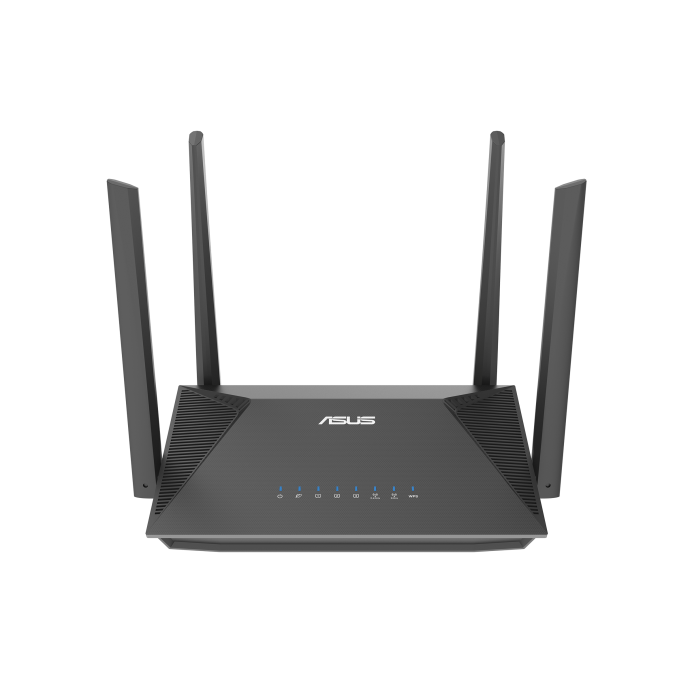
家庭基础版 (Wi-Fi 6)
适用于 12 Mbps - 750 Mbps
型号 ASUS AX1800
适用场景 经济实惠,满足日常稳定上网需求
覆盖范围 适合 2–3 房户型
产品亮点
✓ Wi-Fi 6 技术
✓ App 轻松设置
✓ 适用于 100 Mbps 及以上套餐
家庭专业版 (Wi-Fi 6)
适用于 500 Mbps - 1000 Mbps
型号 TP-Link AX3000
适用场景 为繁忙家庭提升网速体验
覆盖范围 适合 3–4 房户型
产品亮点
✓ 超高速 Wi-Fi 6
✓ 适合 1000 Mbps 套餐
✓ 高带宽,畅享流畅影音
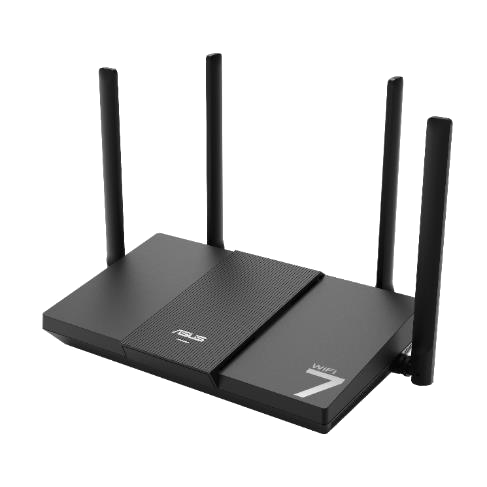
家庭旗舰版 (Wi-Fi 7)
适用于 500 Mbps - 2000 Mbps
型号 ASUS BE3600
适用场景 面向未来的 Wi-Fi 7,满足高需求使用
覆盖范围 适合 3–4 房户型
产品亮点
✓ 新一代 Wi-Fi 7 技术
✓ 专为 2000 Mbps 超高速网络打造
✓ 超低延迟,轻松支持 8K 视频
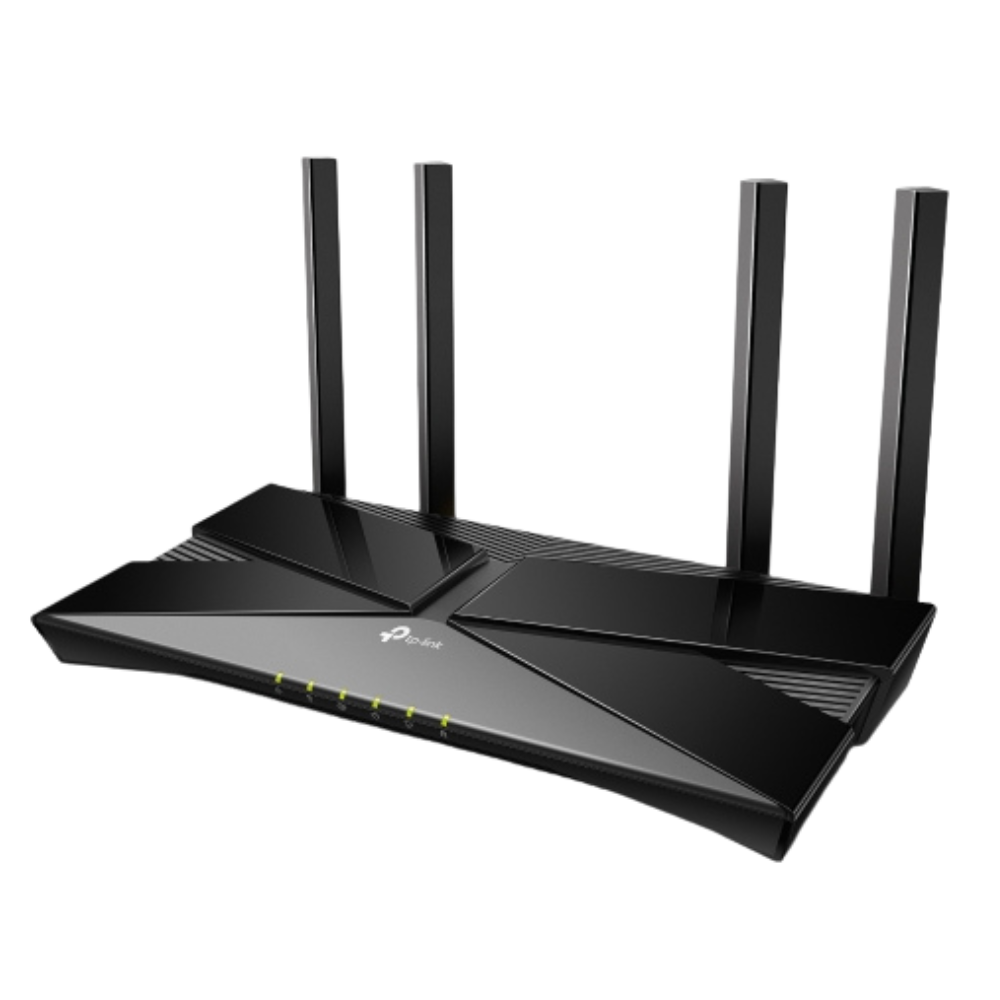
VDSL专业版 (Wi-Fi 6)
适用于 50 Mbps - 100 Mbps
型号 TP-Link AX1800
适用场景 充分发挥 FTTB/N 网络性能
覆盖范围 适合 2–3 房户型
产品亮点
✓ Wi-Fi 6 Modem-Router 一体机
✓ 专为 50–100 Mbps VDSL 服务优化
✓ 内置 VoIP 语音支持
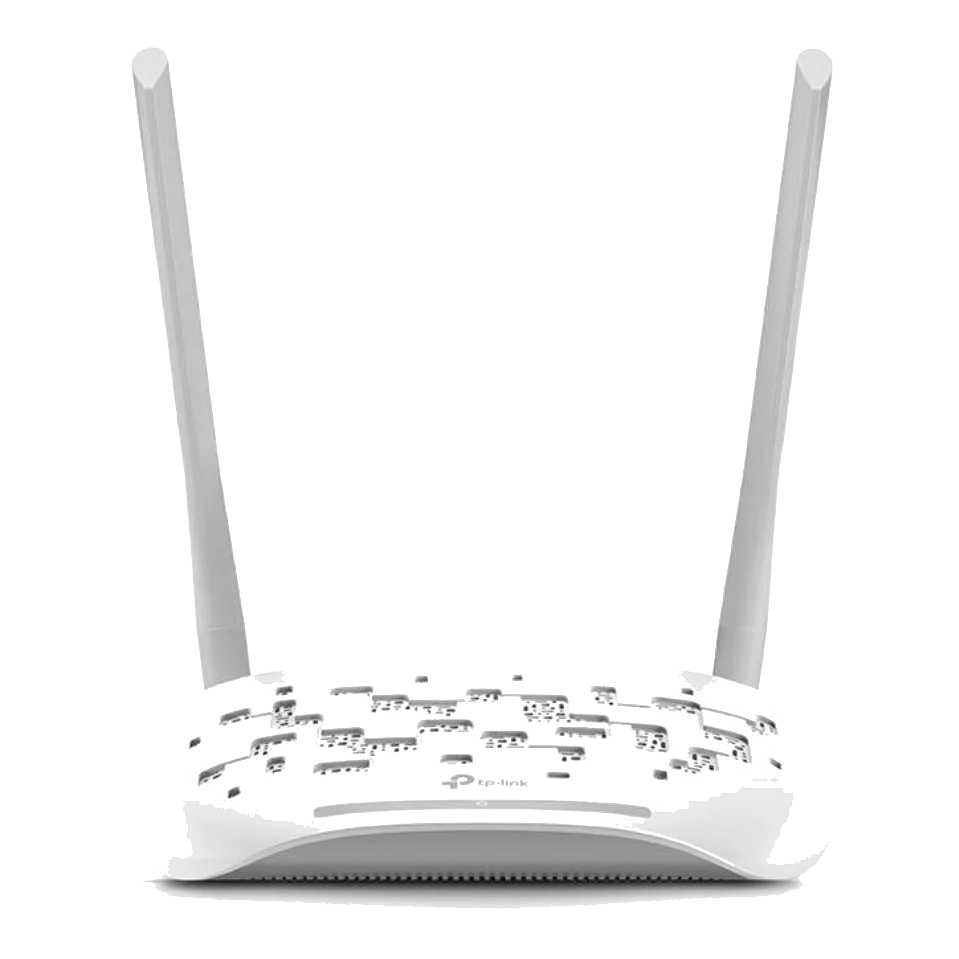
VDSL基础版
适用于 12 Mbps - 25 Mbps
型号 TP-Link N300
适用场景 简单实惠的铜线宽带连接方案
覆盖范围 适合 1–2 房户型
产品亮点
✓ 简单稳定的 Modem-Router 一体机
✓ 兼容 FTTB/N 铜线网络
✓ 适合日常基础上网需求
Mesh旗舰版(Wi-Fi 7)— 2 台装
适用于 500 Mbps - 2000 Mbps
型号 ASUS BE3600
适用场景 适合高速家庭的新一代 Mesh 覆盖方案
覆盖范围 适合 3–4 房户型 (~350–450㎡)
产品亮点
✓ 前沿 Wi-Fi 7 Mesh 技术
✓ AI 增强型智能 AiMesh 技术
✓ 轻松支持多设备同时连接
✓ 为智能家居提供顶级赋能
Mesh旗舰版(Wi-Fi 7)— 3 台装
适用于 500 Mbps - 2000 Mbps
型号 ASUS BE3600
适用场景 适合高速家庭的新一代 Mesh 覆盖方案
覆盖范围 适合 5+ 房户型 (~600㎡+)
产品亮点
✓ 前沿 Wi-Fi 7 Mesh 技术
✓ AI 智能增强的 AiMesh 技术
✓ 轻松支持多设备连接
✓ 为智能家居提供顶级赋能
Mesh基础版(Wi-Fi 6)— 2 台装
适用于 12 Mbps - 75 Mbps
型号 ASUS AX1800
适用场景 减少中等户型的网络死角
覆盖范围 适合 3–4 房户型 (~200–250㎡)
产品亮点
✓ 全屋无缝 Wi-Fi 6 覆盖
✓ 有效消除 Wi-Fi 信号死角
✓ 全屋统一 Wi-Fi 名称
✓ 支持扩展更多 AiMesh 节点
Mesh基础版(Wi-Fi 6)— 3 台装
适用于 12 Mbps - 75 Mbps
型号 ASUS AX1800
适用场景 减少中等户型的网络死角
覆盖范围 适合 5+ 房户型 (~300㎡+)
产品亮点
✓ 全屋无缝 Wi-Fi 6 覆盖
✓ 有效消除 Wi-Fi 信号死角
✓ 全屋统一 Wi-Fi 名称
✓ 支持扩展更多 AiMesh 节点
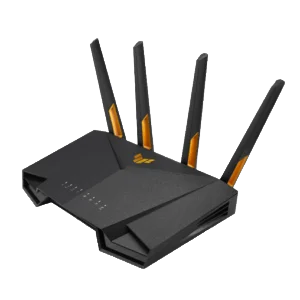
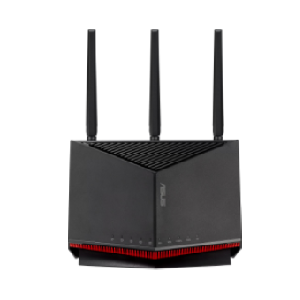
游戏专业版 (Wi-Fi 6)
适用于 500 Mbps - 2000 Mbps
型号 ASUS TUF AX4200
适用场景 专为稳定、低延迟竞技体验打造
覆盖范围 适合 3–4 房户型
产品亮点
✓ 专为游戏优化的 Wi-Fi 6
✓ 专用 LAN 接口,延迟更低
✓ 专为激烈对战打造
✓ 高性能外置天线设计
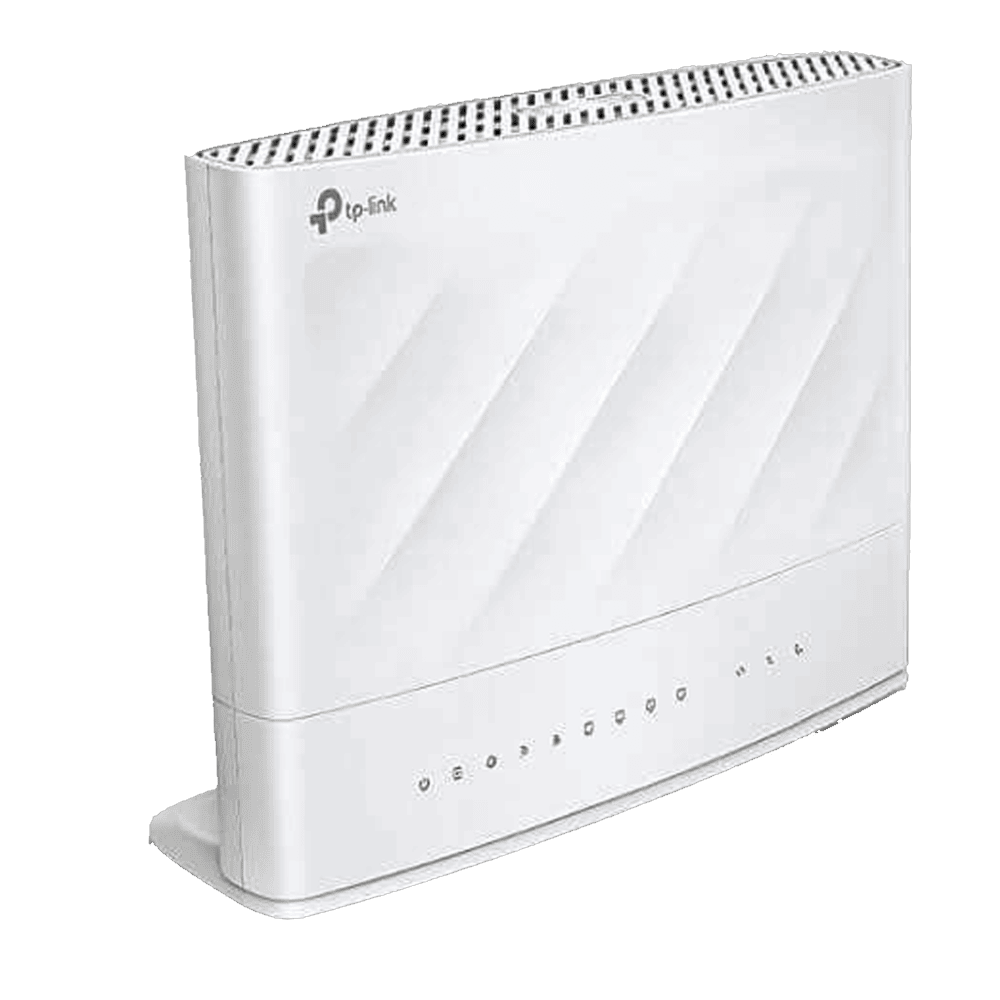
游戏旗舰版 (Wi-Fi 7)
适用于 1000 Mbps - 2000 Mbps
型号 ASUS BE6800
适用场景 职业玩家的终极利器
覆盖范围 适合大户型 / 家庭办公
产品亮点
✓ 极致 Wi-Fi 7 游戏性能
✓ 自适应 QoS,畅享低延迟游戏
✓ 高性能游戏加速功能
✓ 支持 8K 影音与专业创作
选择此项即表示您已有兼容的调制解调器/路由器可用于连接服务。由于市面设备型号众多,我们的技术人员无法熟悉所有设备,因此只能提供有限协助。
Help me choose
- ✔ Studio / Small home: 1 router
- ✔ Medium home: 2-pack mesh
- ✔ Large home / Villa: 3+ mesh
- ✔ Wi-Fi 6: Best for smart homes.
- ✔ Wi-Fi 7: Future-proofing, ultra-low latency, and 8K video.
- ✔ Living Room: Central and high up for maximum signal spread.
- ✔ Kitchen: Clear of large appliances to reduce interference.
- ✔ Bedroom: Near your desk or headboard for stable work and streaming.
Why Occom
Over 14,000+ of our happy customers earned us our 4.9/5 star rating on Google. Our unparalleled service and support powers Aussies with our nbn® fibre plans.
Speeds You Can Count On
Our nbn® plans deliver high-speeds, so you can stream movies, game, study or work remotely. With speeds of up to 1000 Mbp/s, with us, your internet will always be faster, even during peak hours.
Customer Trusted
You don't need to take our word for it, we have 4.9 star rating on Google, with over 14,000 reviews. This is unheard of in our sector. This is the result of constant dedication to delivering what we promise.
Wi-Fi That Just Works
We’ve tested, tweaked, and optimised our routers so you don’t have to. Just plug it in, and you’re good to go—fast, stable, and hassle-free Wi-Fi that covers your whole space. No guesswork, no stress, just seamless internet.
Support, Sorted in Seconds
No more endless wait times—our team answers in just 20 seconds on average. One call, quick fix, back online. Easy!
查询
地址
选择
套餐
我们
开通
您已
连接成功
Frequently Asked Questions
When choosing an nbn® plan with Occom, understanding the difference between connection types can help clarify the experience you’ll have with your internet service. Here’s a breakdown of three major nbn® connection types:
What are the types of nbn® internet and what WiFi devices should I use?
- FTTP – Fibre to the premises utilises fibre optic cable to connect your premises directly to nbn® from the nearest node. In order for this connection to work, a utility box will be required to be installed outside of your premises in addition to a connection box that is installed inside the premises. FTTP is the best nbn® connection type of technology, which is more consistent in its delivery of ultrafast internet speed. You will need to connect a router to the Network Termination Device (NTD) to access Internet service.
- FTTN – Fibre to the Node utilises fibre optic cable to the nearest node to your premises. The signal from the optic fibre cable then travels down through existing copper lines to the primary telephone wall socket. A VDS2-compatible modem router is required for this type of connection to work.
- FTTB – Fibre to the Building utilises fibre optic cable all the way to a shared point in the building’s communications room. From there, the connection travels along the existing copper lines to each customer. In order for this type of connection to function, a VDSL 2-compatible modem router is required.
- FTTC – Fibre to the Curb is the newest technology available, which is capable of bringing optic fibre cables almost all the way to your premises. The connection then travels through existing copper cables into the home for quick and stable internet. A nbn® connection device, short for NCD, is then set up within the premises and then connected to the primary telephone wall socket. You will need to connect a router to nbn® NCD to access Internet service.
- HFC – Hybrid Fibre Coaxial is utilised where there is an existing cable network that can be used to make the final part of the connection. Similarly, with FTTN and FTTB, fibre optic cable is connected to a nearby node. A coaxial cable is then used to connect to a nbn® device, which is installed inside the customer’s premises. You will need to connect a router to nbn® HFC NTD to access Internet service.
What nbn® speeds are provided?
What is the nbn® Termination device?
What should I do to make an appointment for nbn® installation?
Available appointment windows vary depending on the availability of nbn® technicians in your area. Appointment times can be either 8am to 12 noon or 1pm to 5pm in the afternoon. The nbn® technician may call you when they are on their way. Please ensure that you are available for the full appointment time slot. Please also ensure:
- the landlord or authorised representative of your account is on site and available to ensure during installation, all the equipment is installed where you want
- the access to all work areas (including any required access permits). This includes all server and communications rooms for your residence/business (if there is any) in order for the installation.